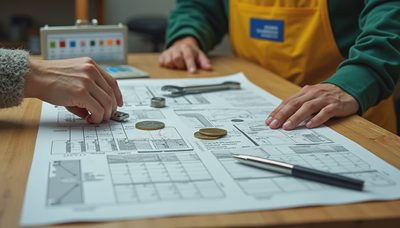
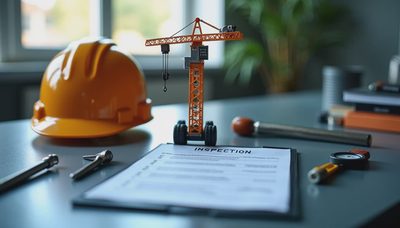
I was in Western Australia when a haul truck lost a rear wheel-end after a grease service that never made it onto the maintenance board. The machine had logged the hours, but nobody had assigned the inspection, confirmed the work, or recorded the warning signs. That failure cost a shift, a recovery crew, and a great deal of arguing. A good fleet maintenance software comparison starts there: not with a shiny dashboard, but with whether the system keeps a real machine from being missed.
For construction contractors, mine operators, municipal fleets, and equipment rental yards, maintenance software is a control tool. It should tell the foreman what is due, show the technician the correct procedure, and leave a record that can be trusted. I have seen this go wrong. Here is how you avoid it.
What to Compare Before You Buy
The first part of any fleet maintenance software comparison is the work-order process. Can a mechanic open a job from a phone at the machine, attach a photograph, record meter hours, and close the task without returning to an office? If the answer is no, the system will become another clipboard with a monthly subscription.
Look for preventive maintenance triggers based on engine hours, mileage, calendar dates, or inspection results. A skid steer might need service at 250-hour intervals, while a highway truck follows mileage and time. An articulated dump truck may require separate schedules for engine oil, final drives, hydraulic filters, and lubrication points. The software must handle those different rules without forcing your crew into awkward workarounds.
Asset history matters just as much. A useful record shows recurring hydraulic leaks, replaced alternators, oil analysis results, and parts used on a particular machine. When a wheel loader develops another overheating complaint, the technician should see what happened last time instead of starting from zero.

Field Lesson: On a Colorado road project, I watched a foreman save nearly a day by finding an old inspection photo that showed a cracked hose bracket before it failed. The value was not the photograph alone. It was the connection between the asset, the inspection, the defect, and the completed repair.
Fleetio, Samsara, MaintainX, and Other Options
A practical fleet maintenance software comparison should separate software types instead of treating every product as identical. Fleetio is commonly used for vehicle and mixed-fleet maintenance, inspections, parts, fuel, and service history. It suits organizations that want a broad fleet record without building a system from scratch.
Samsara is often considered when telematics, GPS tracking, driver behavior, diagnostics, and maintenance need to live close together. That can be useful for truck fleets and service vehicles where mileage, fault codes, and location drive maintenance decisions. It can be more system than a small excavation contractor needs if the main problem is simply missed greasing.
MaintainX is known for mobile work orders, inspections, checklists, and general equipment workflows. It can fit a shop that wants technicians using phones or tablets rather than paper forms. Limble and similar computerized maintenance management systems are often aimed at more structured maintenance departments that need scheduling, parts control, approval steps, and reporting.
Tenna and other construction-focused platforms may appeal to contractors who want equipment tracking, utilization information, location data, and maintenance in one environment. The right choice depends on your bottleneck. Do not pay for driver telematics when your actual failure is an unassigned 500-hour service.
The Features That Matter in a Dirt-Filled Shop
The best fleet maintenance software comparison gives extra weight to mobile usability. A technician wearing gloves beside a Caterpillar 336 excavator does not have time for twelve menus and a password reset. Test the application in poor connectivity, bright sunlight, and a noisy yard. Can the user create a defect in under two minutes? Can the program save work offline and synchronize later?
Inspection forms should be configurable, but not endlessly complicated. A daily walkaround needs clear checks for tires or tracks, fluid leaks, guards, lights, alarms, fire extinguishers, and obvious structural damage. A failure should create a work order or escalation, not disappear into a completed checklist.
Parts management is another dividing line. A serious shop needs minimum quantities, vendor information, part numbers, and visibility into stock. If a $35 filter is unavailable and delays a $300,000 machine, the software has failed the business even if its charts look impressive. Make sure technicians can record parts without creating duplicate entries for the same filter under three different names.
Safety Alert: Software never replaces lockout and tagout, machine isolation, blocking, or a competent inspection. A digital work order can document a safe job, but it cannot make an energized hydraulic circuit safe. Stop the machine and follow your site procedure before anyone reaches into a danger zone.
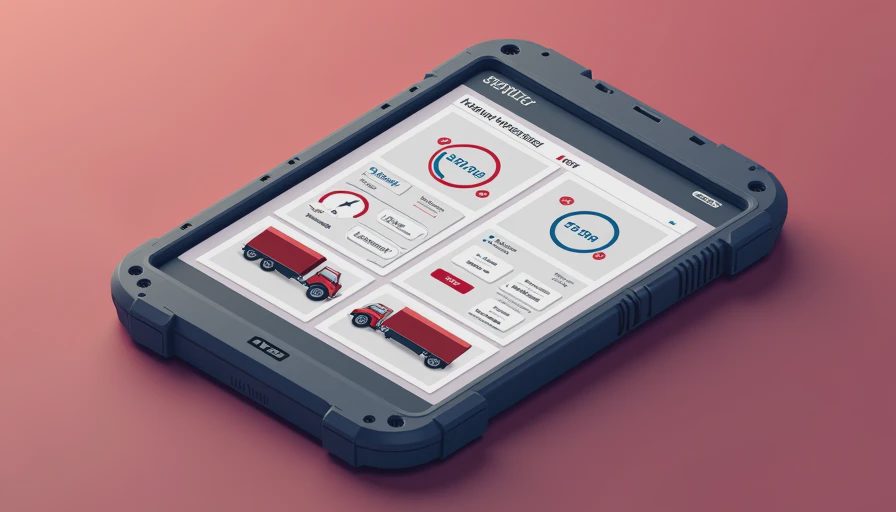
How to Test Software With a Real Machine
Run a trial using one troublesome asset, not a clean demonstration fleet. Put a 2018 wheel loader, a service truck, and an excavator into the test. Create preventive tasks for engine oil, grease, hydraulic filters, and annual inspections. Then enter a simulated defect: a leaking boom cylinder or a warning lamp that appeared during a shift.
Ask the technician to receive the job, add labor time, attach a photograph, identify the parts, and close the repair. Ask the foreman to approve a high-cost repair and confirm that the machine cannot be released until the safety inspection is complete. Finally, pull a report showing overdue work, downtime, parts cost, and repeat failures.
This is where many products separate themselves. If the workflow takes ten minutes at a desk but twenty minutes beside the machine, it will not be used consistently. In a fleet maintenance software comparison, adoption is more important than a long feature list.
Calculate the Payback Before Signing
Start with avoidable downtime, not software price. If a missed service causes one lost shift on a loader, write down the operator cost, standby crew, replacement equipment, transport, and schedule impact. A small contractor might spend $100 to $300 monthly for a basic platform, while a larger operation can spend much more for telematics, multiple locations, integrations, and user seats. The question is whether the system prevents even one expensive miss.
Also count administrative time. If a shop foreman spends six hours each week chasing paper inspections, a digital workflow can recover that time. Better records can help identify repeat component failures and support warranty discussions, although no software can guarantee a warranty payment.
Assign an owner for setup. Someone must define asset names, meter types, service intervals, failure codes, and user permissions. Importing a dirty spreadsheet without cleaning it first simply moves confusion into a new screen.
My Field-Tested Buying Checklist
Before signing, make the vendor demonstrate five things using your language: creating an asset, scheduling a meter-based service, reporting a safety defect, finding a part history, and producing an overdue-maintenance report. Ask what happens when the cellular signal disappears. Ask how data is exported if you leave. Ask whether the price changes when seasonal operators, subcontractors, or read-only users join.
Then speak with the people who will touch the system every day. The mechanic who hates the workflow will find a way around it. The foreman who trusts the records will make it part of the shift handover. Train with actual work orders, not a conference-room slideshow.
My conclusion from years around heavy iron is straightforward: choose the simplest platform that captures the work, proves it was done, and warns you before a small defect becomes a recovery job. Use this fleet maintenance software comparison to narrow the field, then test the finalists against one real machine and one real failure scenario. The best system is the one your crew uses when the rain is falling, the excavator is down, and production is waiting.