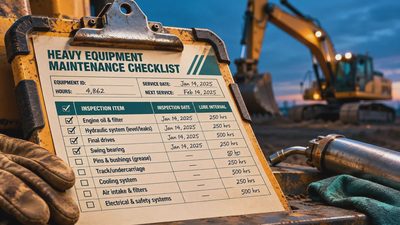
A machine rolls into the shop with a warning light on, and the temptation is to plug in a scanner and start replacing parts. That is how a small electrical fault can turn into an expensive afternoon. LAUNCH makes automotive diagnostic tools, but that does not mean every LAUNCH scanner will communicate with a dozer, haul truck, or excavator. Before spending money, match the specific tool and software to the machine, its control systems, and the work you need to do. A fault code is a starting point, not a repair order.
What LAUNCH makes and where it fits
LAUNCH develops diagnostic tools and service equipment for vehicle inspection and repair. Its lineup includes the Millennium Max, an OBD-II diagnostic tool. That makes the brand relevant to a shop handling road vehicles, but the product name alone tells you nothing reliable about coverage for a particular piece of off-highway iron.
For a mixed fleet, separate the pickup trucks and highway tractors from the excavators, loaders, and mining machines on your list. A tool that connects to one group may not support the other. Even within a single machine, it might communicate with the engine controller but not the transmission, hydraulics, or machine controller.
I'd start with the machines that cause the most downtime, not a catalog full of advertised makes. Write down the manufacturer, model, serial number or product identification number, engine information, and the system you need to reach. Then ask the seller or equipment dealer to confirm the exact functions supported for those machines.
Field Lesson: A connector that fits is not proof that the scanner speaks the right language. Treat a successful plug-in and a useful diagnosis as two different things.

Check coverage before buying a LAUNCH scanner
Ask for the coverage details for the exact LAUNCH model and software package, not just a statement that it supports heavy-duty vehicles. Look for your machine's make, model, and applicable serial-number range where available. If the list is vague, get a written answer before ordering.
Ask whether the tool can identify the control module, read active and logged faults, display live data, and access the particular system you need. If a job calls for a calibration, component test, configuration change, or service reset, ask about that exact function. Reading codes and commanding a test are very different levels of access.
Also check the physical connection. Off-highway machines can use different diagnostic connectors and communication protocols. Find out which adapter is required, whether it comes with the tool, and whether any additional software or authorization is needed. Do not improvise wiring or probe an unfamiliar connector to make a scanner fit.
Updates deserve a separate question. Ask how long software updates are included, what renewal costs, whether the tool works without an active subscription, and what support is available if a machine will not communicate. Terms can vary by product and seller, so get the details for the unit you intend to purchase.
What to do when the scanner finds a fault
A LAUNCH tool can help collect diagnostic information where coverage exists. It cannot tell you that a named sensor is bad simply because a code mentions that sensor's circuit. The wiring, connector, power supply, ground, controller, or the monitored system itself may be involved.
Record the code, its status, the machine hours, and the operating conditions before clearing anything. Note whether the problem appeared on startup, under load, or after the machine warmed up. If the display provides occurrence information or related parameters, record those too. That history may be valuable if the fault disappears before a technician gets there.
Next, use the machine manufacturer's troubleshooting procedure and wiring information. Inspect accessible connectors and harnesses for damage, loose retention, corrosion, or rubbing, following the site's isolation procedure. Make measurements only where the service instructions call for them and with the proper meter and adapters. Back-probing the wrong terminal or shorting pins can create another fault.
Safety Alert: Park on firm, level ground where possible, lower attachments, shut down, and isolate hazardous energy according to the machine manual and site procedure before inspecting or disconnecting components. Hydraulic pressure can remain after shutdown. Never loosen a hydraulic line to hunt for a leak, and never use a hand to find one.
Live data, active tests, and shop limits
Live data can be more useful than a code when it is compared with the manufacturer's diagnostic instructions. For example, a temperature reading that is unreasonable for a cold, parked machine gives you a direction to investigate. It still does not prove whether the sensor, circuit, or controller is at fault. Compare readings and measurements as the procedure directs rather than guessing at acceptable values.
Active tests need more respect. A command from a diagnostic tool may move a component or energize a circuit. Keep people clear, establish communication with everyone involved, and follow the manufacturer's test procedure and site controls. Do not initiate a test just to see what happens.
The same caution applies to calibrations and configuration changes. Incorrect settings can affect machine operation. If the required procedure, access, equipment, or training is missing, stop and bring in the dealer or a qualified heavy-equipment shop. A diagnostic subscription is cheaper than damaged iron or an injured coworker.
When another tool may be the better fit
LAUNCH may be worth investigating for a shop with road vehicles and a documented coverage match. For a fleet dominated by one equipment manufacturer, compare it with the manufacturer's diagnostic system and dealer support. The better choice is the one that reaches the right controllers and performs the jobs your crew is authorized and trained to do.
Before buying, ask for a demonstration on one of your actual machines. Confirm the software and adapter being used, then check the functions that matter to your shop. If the seller cannot demonstrate them, make the purchase conditional on a clear return policy and written coverage confirmation. That is less exciting than a long feature list, but it keeps a scanner from becoming another expensive object in the bottom drawer.